Open existing Search using "Recent" on home tab

In this tutorial you will learn how to open existing search using Recent links on home tab.
Steps
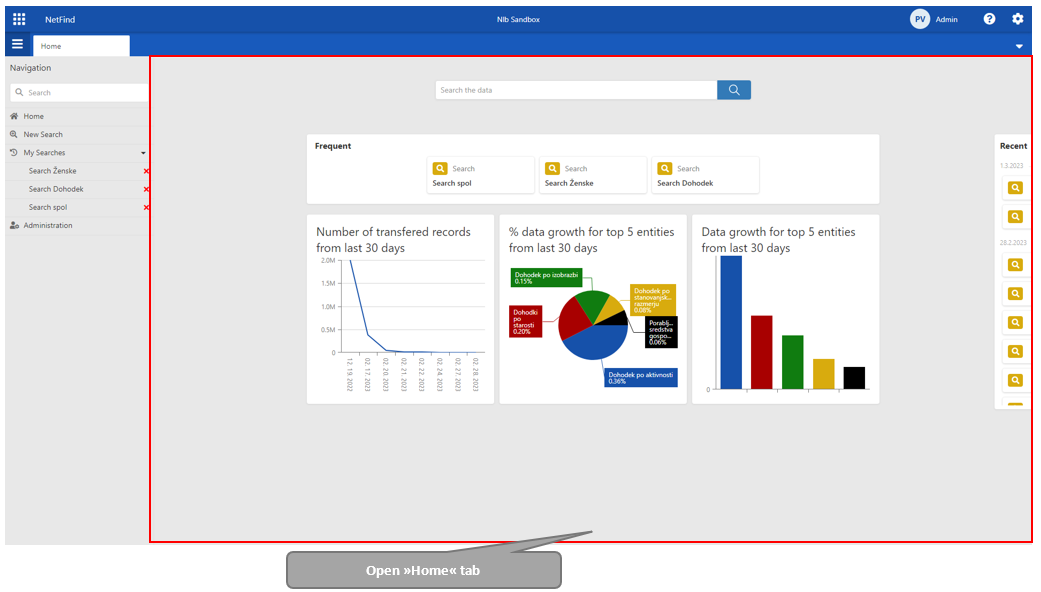
Open Navigation menu and click on the »Home« link in case that the home tab is not open.
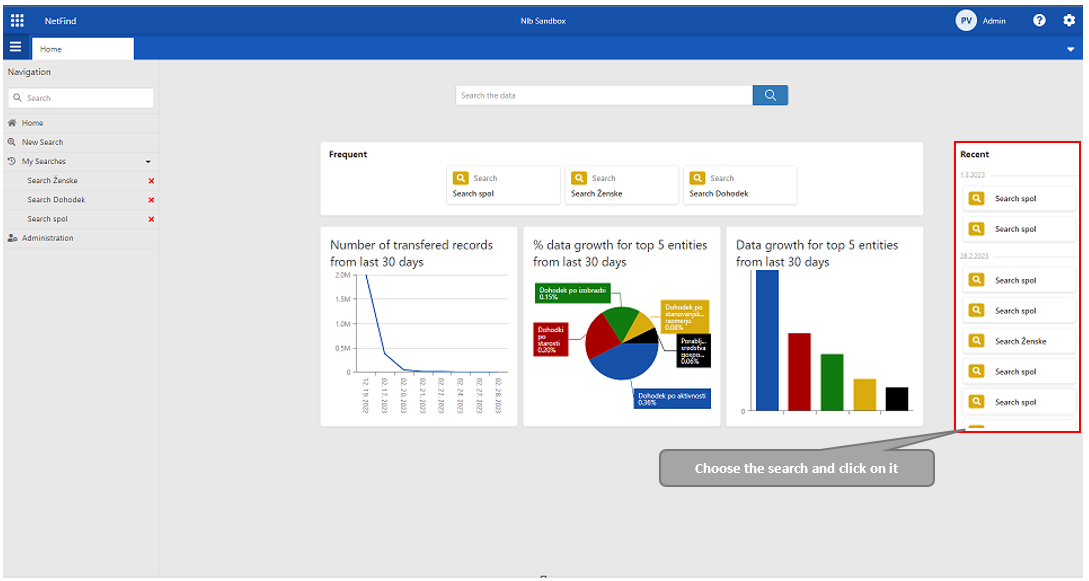
A Home tab opens. On the right site of the window user can see Recent container. Choose one and click on it.
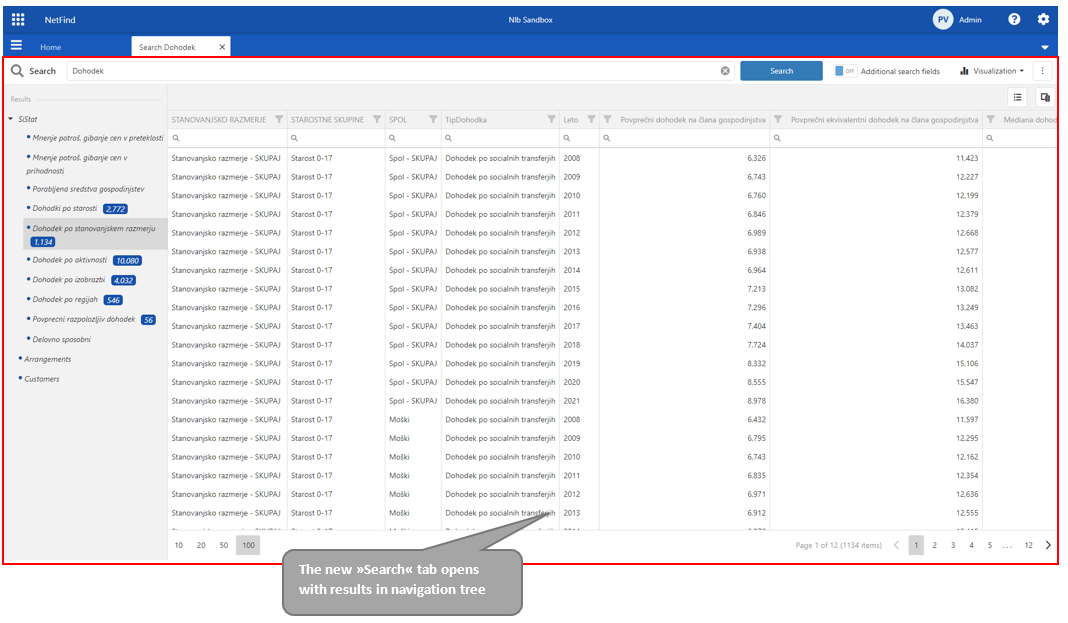
The new search tab opens with results in navigation tree (left side of window).