
Search
The application provides two ways of searching the data. The first option allows all fields data search. The second option lets you search specific fields within the view.
All fields search
Apply the »Search« filter when searching all data fields of the view. Field search is key insensitive.
Check if you find the searched string in the synonym listing. This case screen shows that the synonym box contains the search string »Spol« and the rest of synonyms.
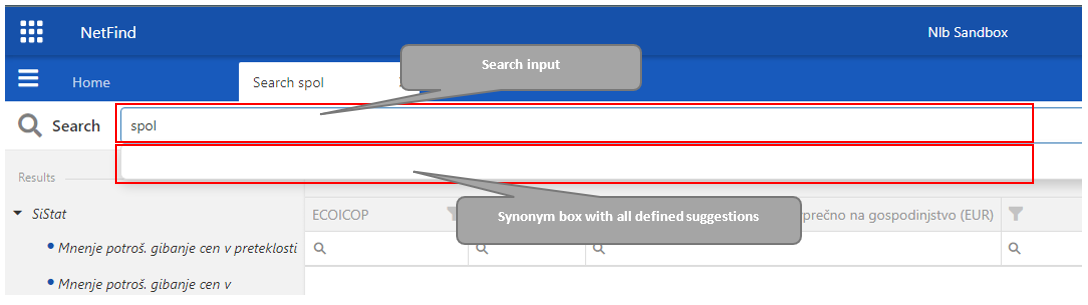
Searched string works as a synonym. Elastic Search reads the synonym key from the synonym list and starts the search. The Tree Structure displays data sources with results and the number of hits within each source.
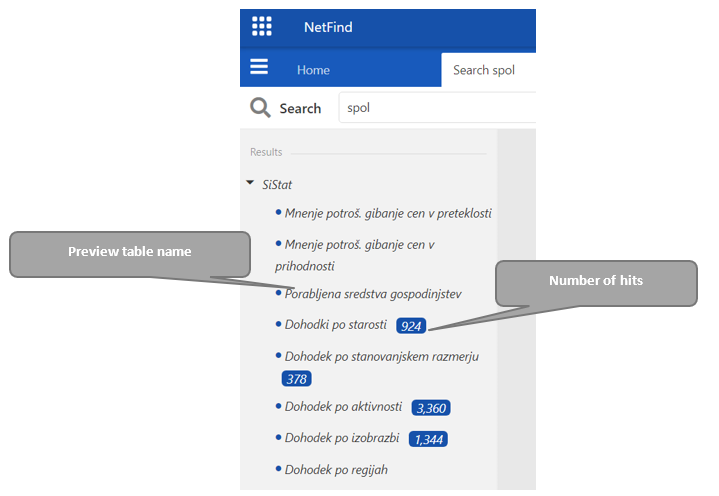

Note: If the search string is not existing in the synonym listing, The Elastic Search technology splits the search string into sub-searches using the hyphen (-) and initiates the search query again.
Specific fields search
An application enables search by specific fields in the result data also. Switching the on/off »Additional search fields« button allows a user to choose between »all fields search« and »specific fields search«.

When the switch is ON, a form appears with additional »Project«, »Batch«, and »Date« input fields.
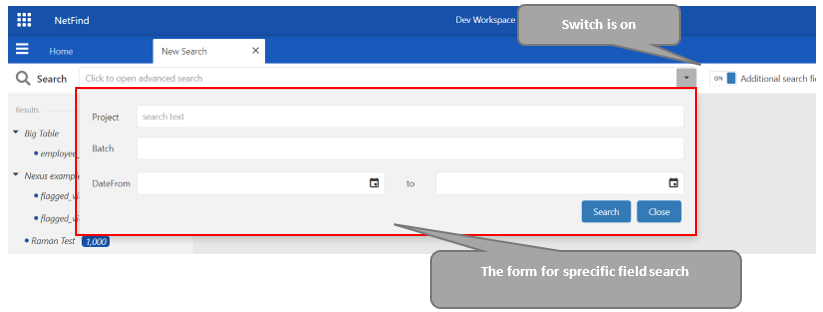
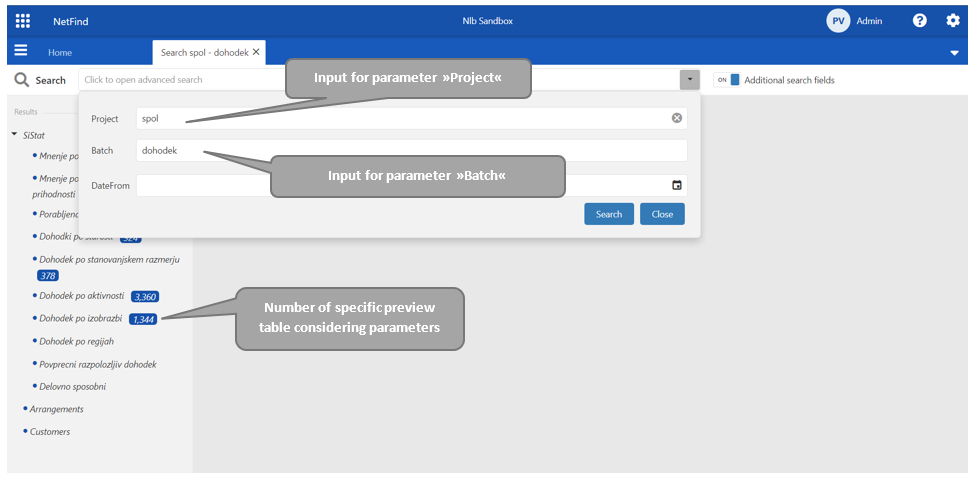
The application processes with the advanced search in the specific data source fields/columns and verifies a sufficient number of data for all parameters given in specific field form.
Recommended tutorials