Application structure
Application structure
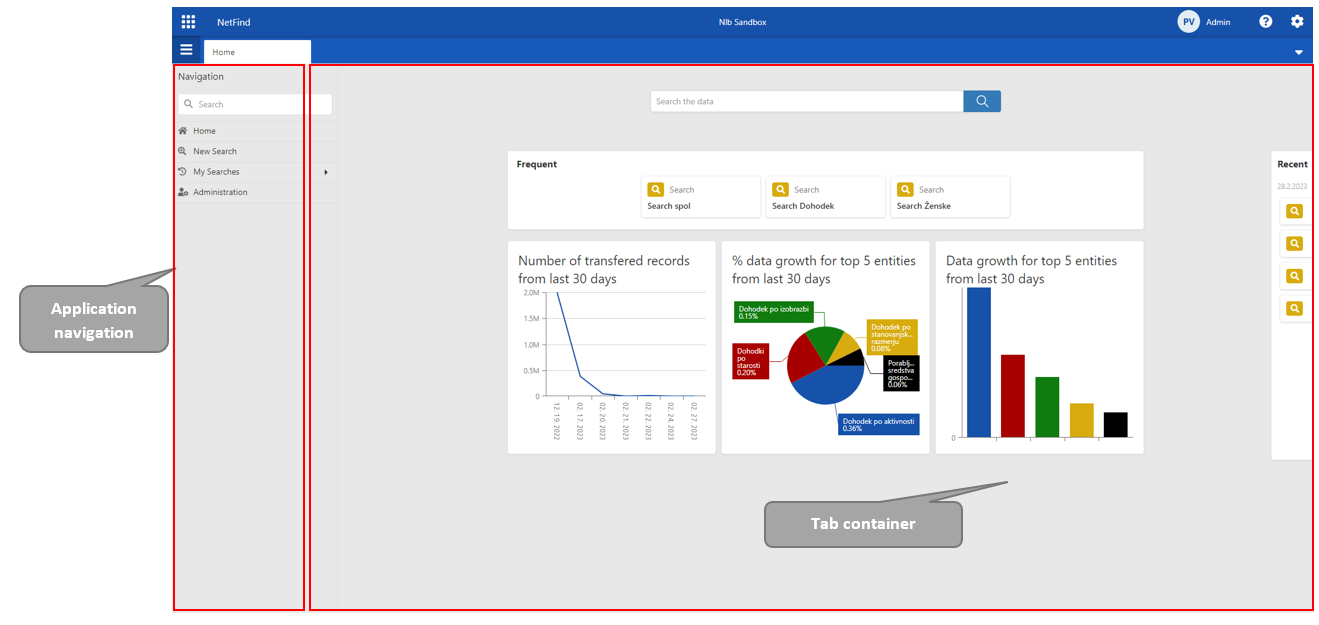
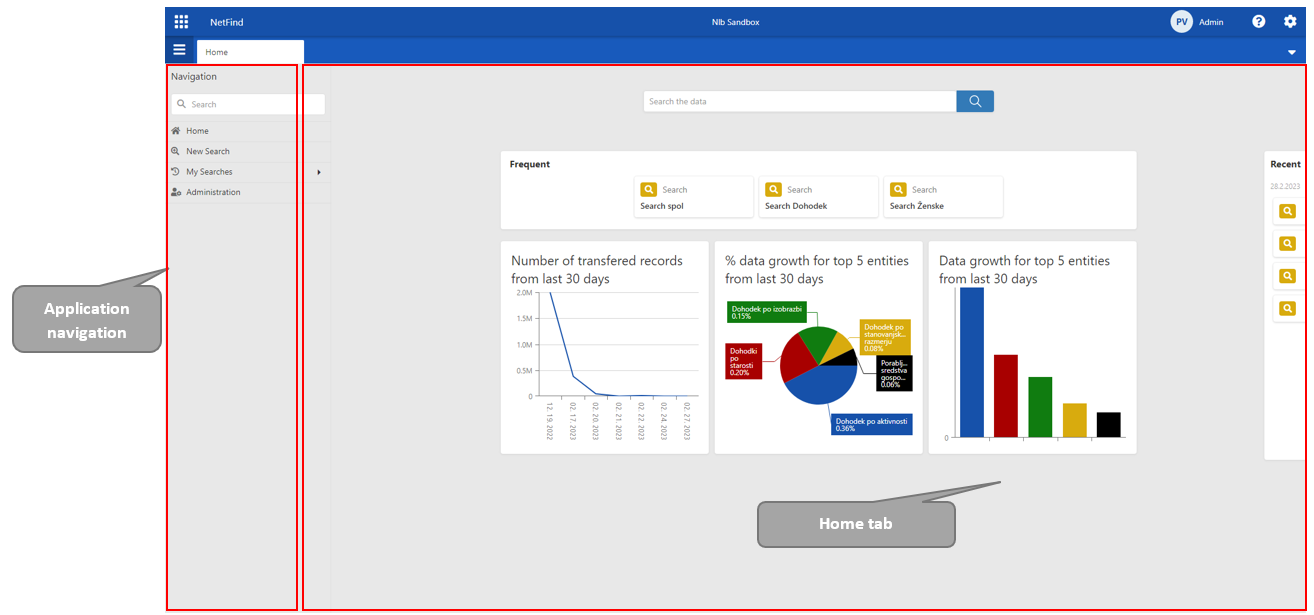
The NetFind application consists of:
Navigation menu
Tab container
1. Navigation menu
It's located on the left side of screen. The navigation content is hidden by default.
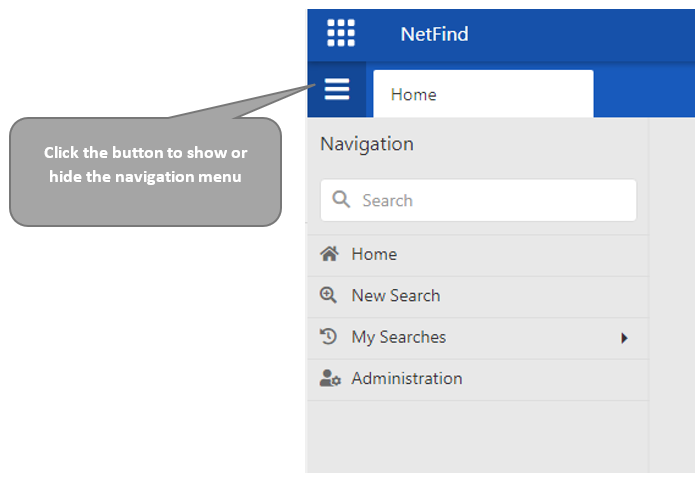

Note: To display the Navigation menu, click the button below the BioSpace-Nexus logo.
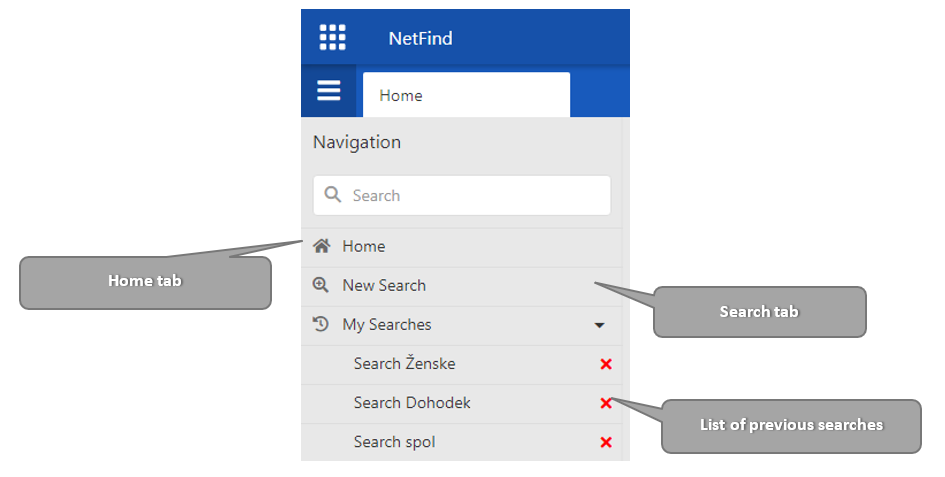
The navigation contains a link to:
Home tab
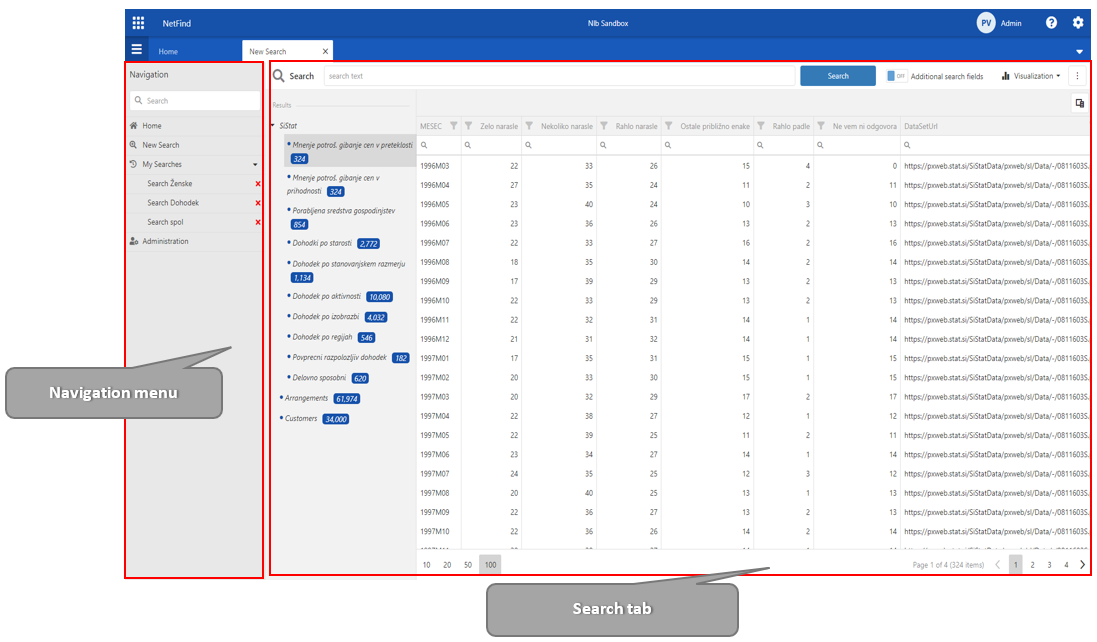
New search tab
List of last 10 user searches
2. Tab container
The application consists of two types of tabs:
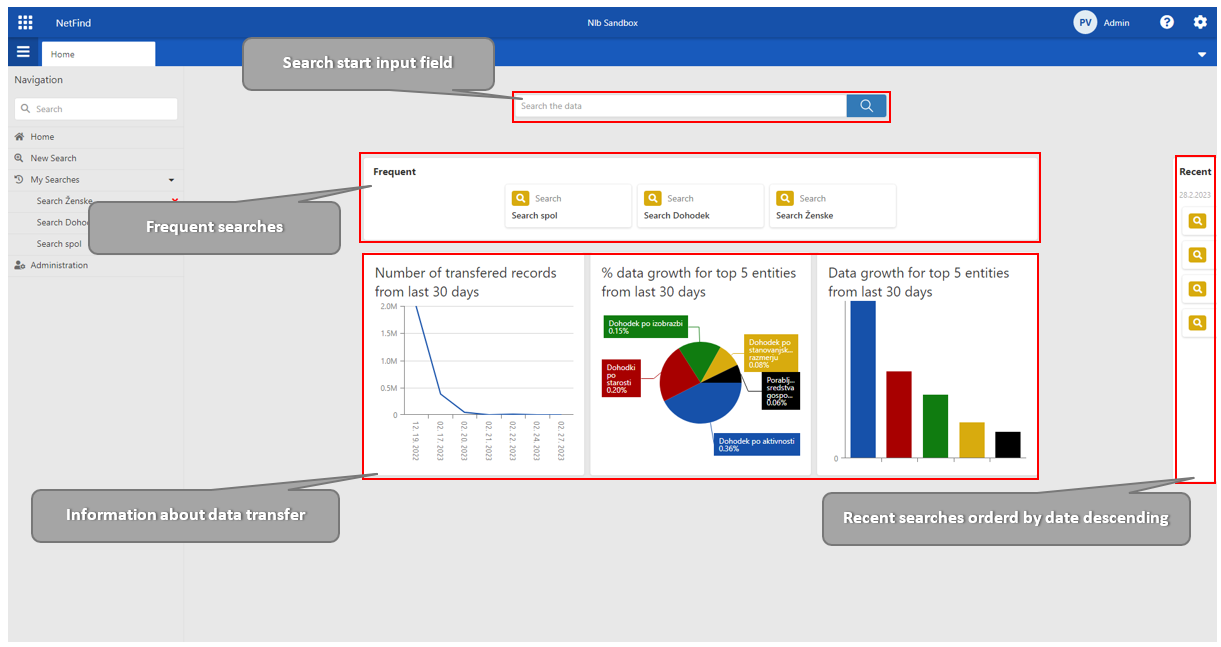
Home tab: Displays general information about the current data status
Search tab
Enables users to find background information about the data, the data source location and the number of hits within each source. Data information and number hits depends on a key that the user enters.
Home tab
The user sees a list of the frequent and the recent searches, information about data transfer and predefined projects. A user starts with a search using the input field on the home tab
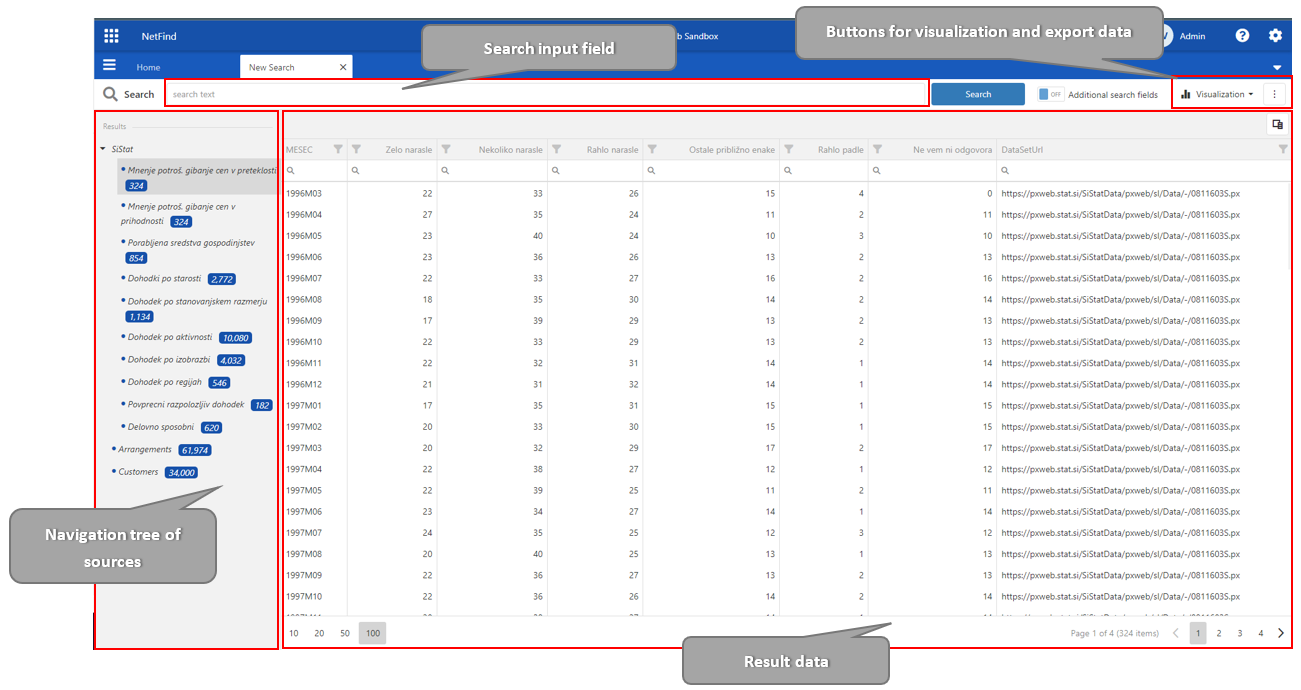
Search tab
The search tab includes
Search input field,
Navigation tree of hit sources
Buttons for visualization and data export
Table of result data.