Start a new search using Home tab

In this tutorial you will learn how to start search in using home tab
Steps
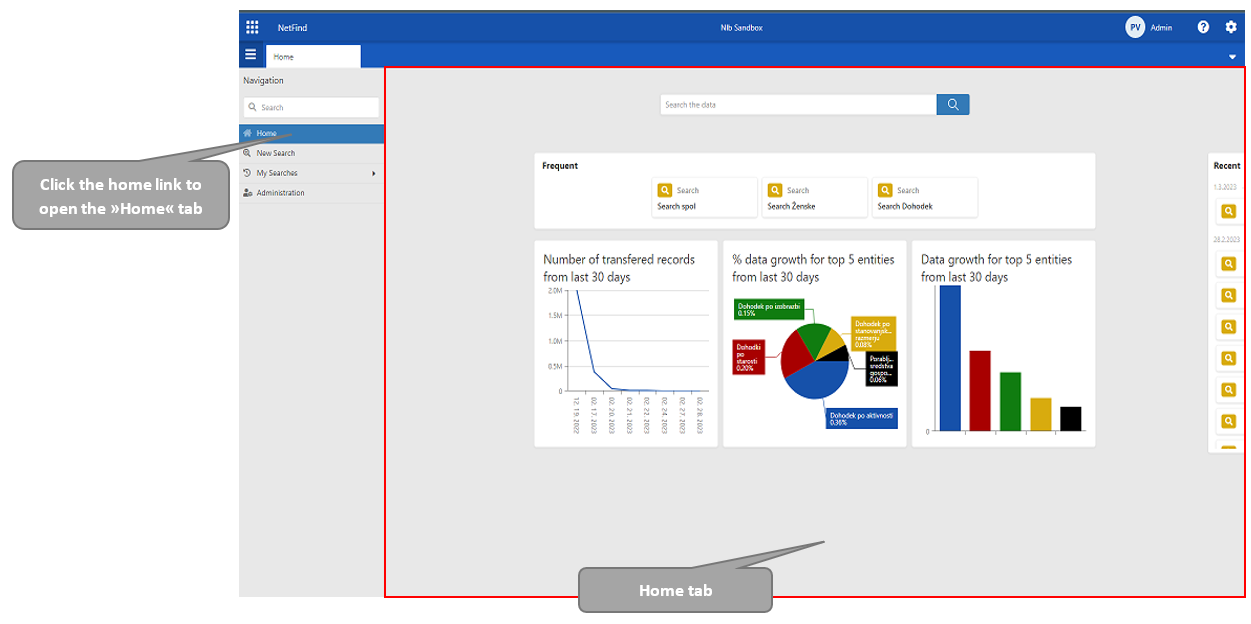
Open the navigation menu and click the “Home“ link.
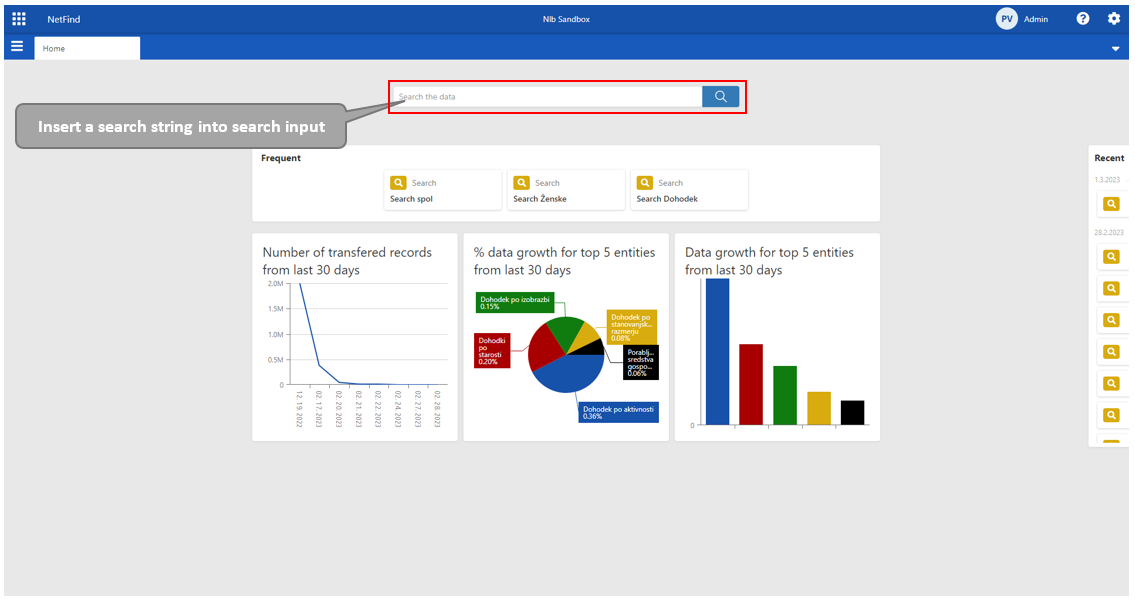
Type a search string into the search input field at the “Home“ tab.
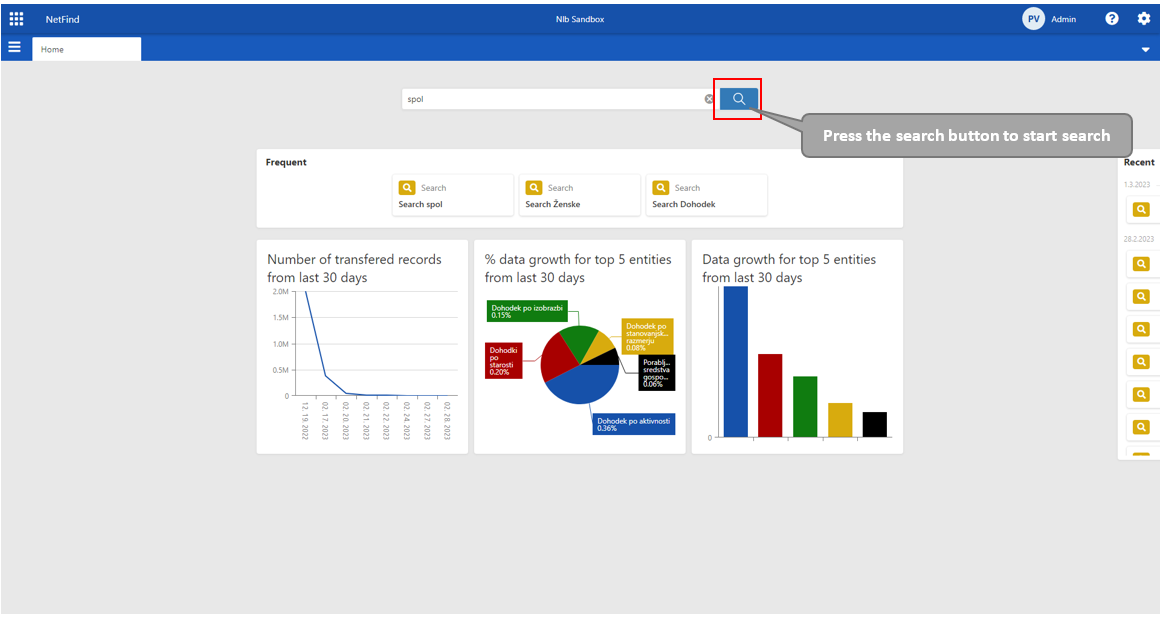
Press the search button with a magnifier sign.
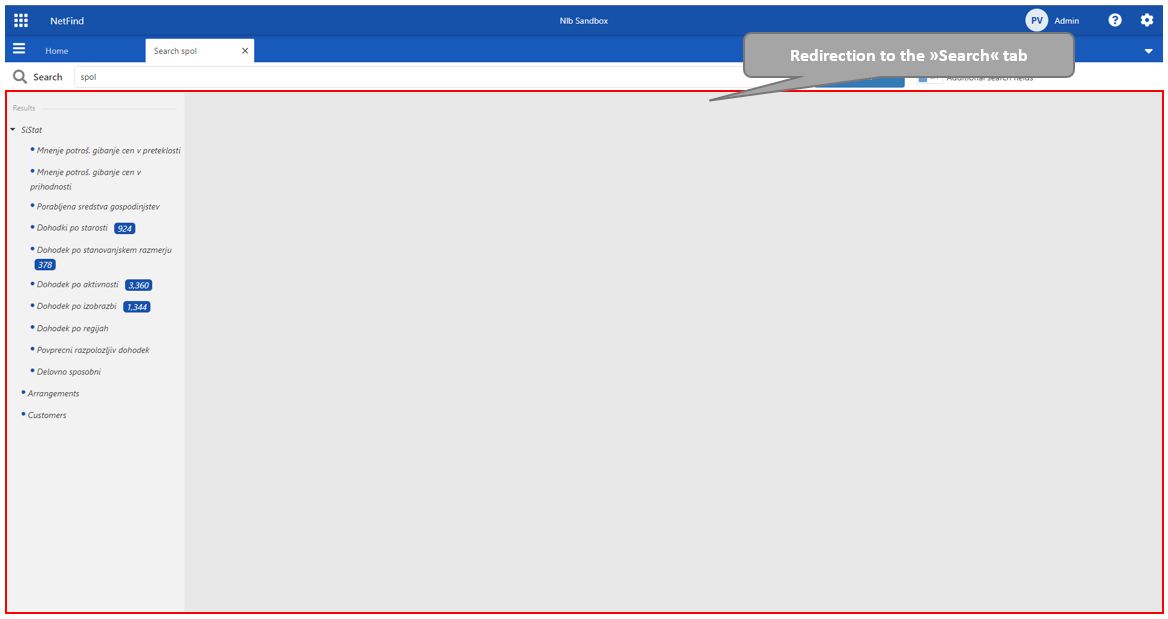
After initiating the “Search“ function, the user is redirected to the “Search“ tab. The user sees the number of hits in each data source in navigation tree.