
SiStat Batch process
What will you learn
How to get data from the SiStat web page.
How to delete a table from a database
How to insert a table from a process into a database
Prerequisites
Access to NetiLab application with sufficient permissions.
Corresponding configuration table in database
Basic knowladge of NetFlow module
Introduction
The process consists of seven nodes:
Get Config - The node type is SQL Query. This node retrieves information, with the entered sql query, from the configuration table.
Get SiStat Data Batch - The node type is PX Reader Batch Node. This node retrieves information from the SiStat website.
Drop Table - The node type is SQL Query. This node deletes a table, with the entered sql query, from the database.
Import Table - The node type is SQL Bulk Import . This node inserts a table into the database.
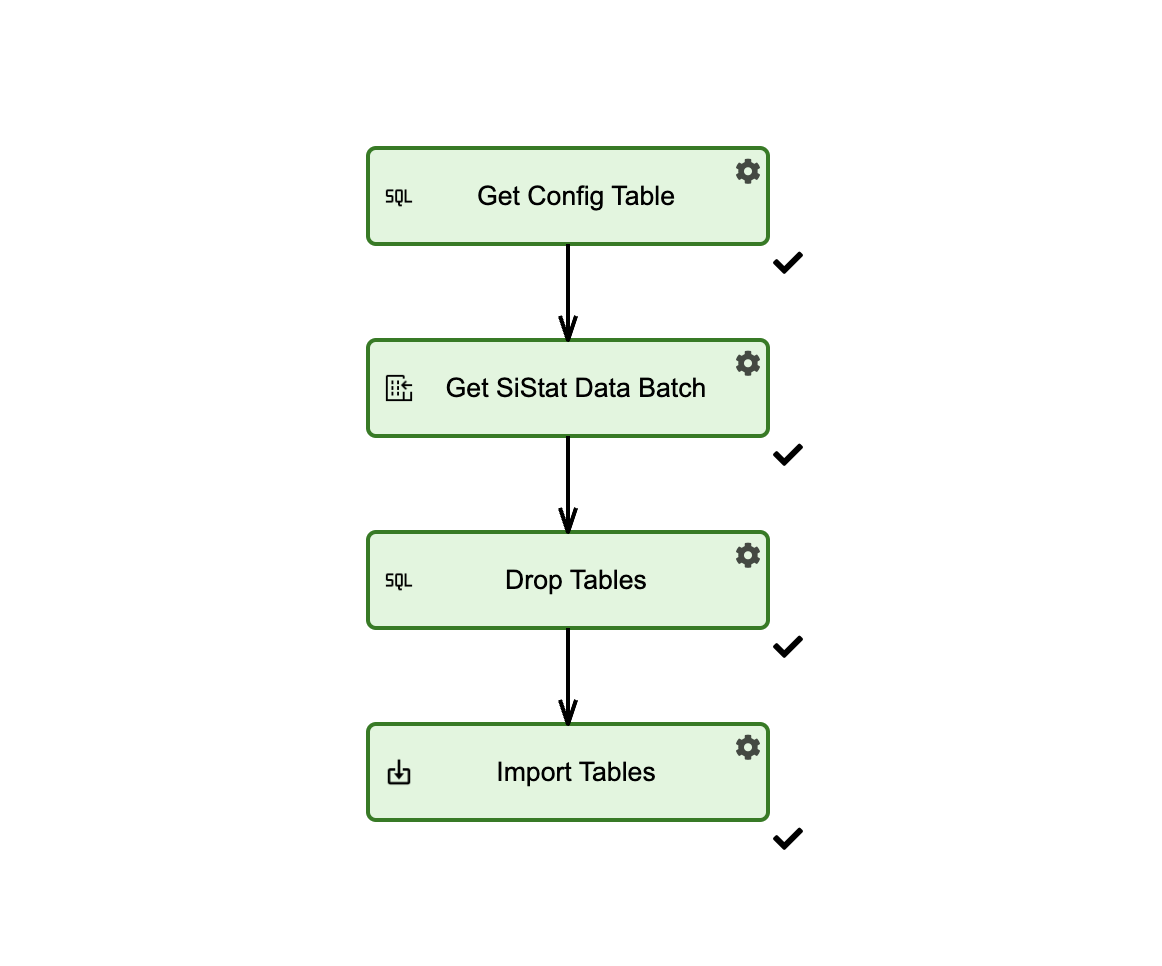
Steps
Steps

For illustrative purposes, in the following steps we will use data from two datasets that exist in the configuration table.
Step 1 : Get Config
Open Get Config - node type(SQL Query ) and configure it as:
{
  "connection": "<results>",
  "Timeout": 90,
  "ResultName": "sistatconfig",
  "queries": [
    "select * from sistatconfig"
  ]
}
The configuration table must exist in the database!
Step 2: Get SiStat Data
Open Get SiStat Data - node type( SiStat process ) and configure it as:
{
  "Parameters": [
    {
      "Url": "https://pxweb.stat.si:443/SiStatData/api/v1/sl/Data/0762003S.px",
      "TableName": "delovnoSposobni"
    },
    {
      "Url": "https://pxweb.stat.si:443/SiStatData/api/v1/sl/Data/0762003S.px",
      "TableName": "dodanaVrednost"
    }
  ]
}
These properties are from the configuration table.
Step 3: Drop Tables
Open Drop Tables - node type(SQL Query ) and configure it as:
{
    "connection": "<results>",
    "Timeout": 90,
    "ResultName": "QueryResult",
    "queries": [
        "DROP TABLE IF EXISTS [dbo].[SiStatDelovnoSposobni];\nDROP TABLE IF EXISTS [dbo].[SiStatDodanaVrednost];\n"
}
Step 4: Import Tables
Open Import Tables - node type ( Bulk Insert Multiple ) and configure it as:
{
    "Conection": "<results>",
    "addColumns": false,
    "MissingTable": false,
    "TableUploads": [
        {
            "TableName": "delovnoSposobni",
            "ServerName": "SiStatDelovnoSposobni",
            "id": null,
            "IncludedColumns": []
        },
        {
            "TableName": "dodanaVrednost",
            "ServerName": "SiStatDodanaVrednost",
            "id": null,
            "IncludedColumns": []
        }
    ]
}