
Import CSV file to SQL and Elastic
What will you learn
How to upload and parse csv files.
How to upload table from process context into elastic search.

At the end of tutorial you will have a working process where you upload a csv file, parse it into tabular format and then upload it into Database and into elasticsearch using NetFind Import node.
Prerequisites
Access to NetiLab application with sufficient permissions.
NetFind module available with configured netfind_url in workspace properties.
Basic knowladge of NetFLow module
Introduction
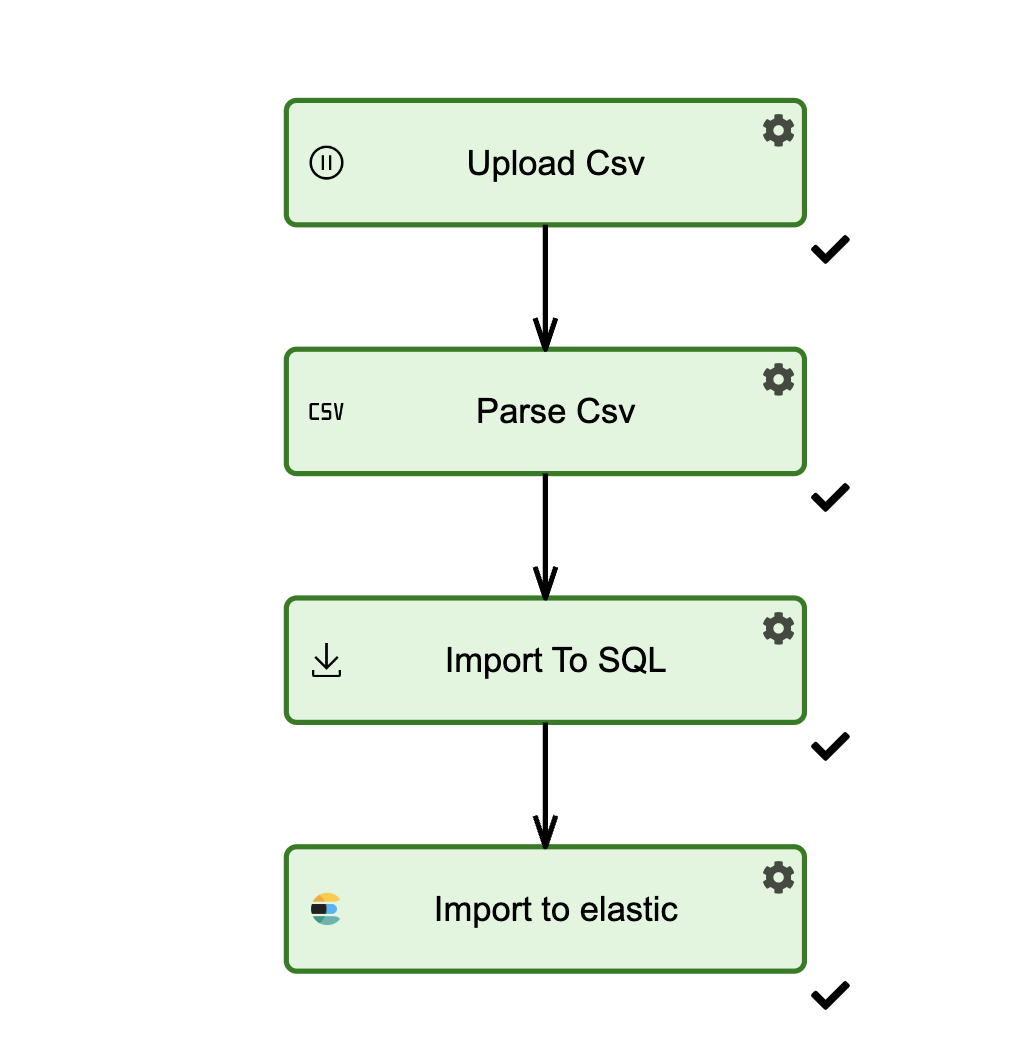
The process consists of three nodes:
Form node, where csv is uploaded and index name is inputed.
CSV Parser Node where csv is parsed into table.
NetFind Table Import Node where parsed table is imported into elasticsearch.
Steps
Step 1 : Create the input form
Open Forms tab and add a new form. Add two form elements on the form:
TextBox: Set entryID to indexName and give entry name value Enter index name.
Large File Upload.
Save the form as UploadCsvAndIndexNameForm.

TextBox entry created here will be used to inject index name into NetFind Table import node.
Step 2: Create new process with Form node
Open navigation menu and click New Process. Add a new Form node and select UploadCsvAndIndexNameForm as a form.
Save the process as Import Data From CSV to SQL and Elastic.
Step 3: Add Csv parser node
Open process (Import Data From CSV to SQL and Elastic) created in previous step in designer mode. Add new CSV Parser Node and configure it as
{
  "filePath": "@filePaths[0]",
  "regexFileFilter": ".*",
  "seperators": [
    ","
  ],
  "useDataType": false,
  "TableName": "csv_parsed",
  "includedColumns": [],
  "fileNameColunms": []
}
You can give this node name Parse csv. Then save node and process.
Step 4: Import To SQL
Open process (Import Data From CSV to SQL and Elastic) created in previous step in designer mode. Add new SQL Bulk Import and configure it as
{
  "Conection": "<results>",
  "TableName": "parsed_csv",
  "ServerName": "@indexName",
  "id": null,
  "addColumns": false,
  "MissingTable": false,
  "IncludedColumns": []
}
Name this node Import to SQL. Then save node and process.
Step 4: Add NetFind Table import node
Open process (Import Data From CSV to SQL and Elastic) created in previous step in designer mode. Add new NetFind Table Import Node and configure it as
{
    "IndexName": "@indexName",
    "TableName": "csv_parsed",
    "ID": null,
    "RecreateIndex": false,
    "BatchSize": "5000"
}
Name this node Import to elastic. Then save node and process.
Step 5: Running the process
Run the created process in regular or debug mode. In the first node input index name (like csv_import) and upload some csv file. Then click continue.
Process should successfully finish.